Program
Playlists, schedules and BPM-aware track selection keep editorial rules in control.
Rules + schedules + BPMCommunity Preview
Schedule music, shape transitions and broadcast to Icecast through a dedicated Rust playout engine — on infrastructure you control.
View on GitHubLinux · Docker Compose · Rust playout · Icecast · No Liquidsoap
PRODUCT WORKFLOW
Playlists, schedules and BPM-aware track selection keep editorial rules in control.
Rules + schedules + BPMFade, overlap, bridge and track-exit controls make transitions part of the programming.
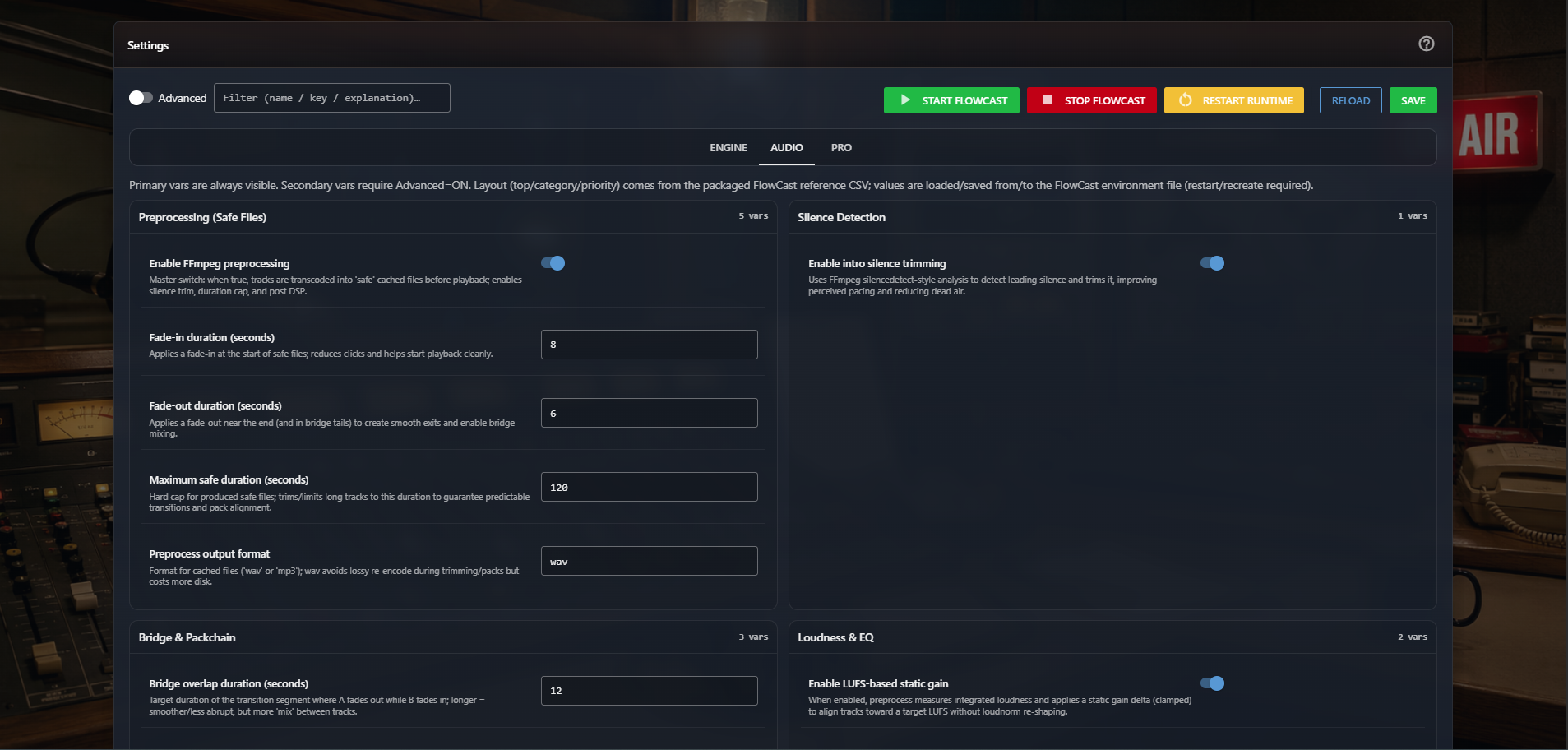
Fade + overlap + bridgeA dedicated Rust engine executes the queue and delivers the station directly to Icecast.
Queue → Rust → IcecastNEW IN 0.1.0-rc.8
RC8 extends the broadcast core with portable backups, real audience statistics and listener-facing embeds — without adding a Liquidsoap layer.
Essential or Full .fcbak archives, resumable uploads and transactional restore with rollback safeguards.
Live audience, history, trends, countries, players and devices from station-scoped Icecast activity.
Real-time · reports · local privacyPublish a player, recently played, upcoming tracks or listener count on an external site with copyable iframe snippets.
Public-safe · self-contained · iframe-readyNormal, Compact and Minimal are genuinely distinct player structures designed for different integration footprints.
Normal · Compact · MinimalINTERFACE + ARCHITECTURE
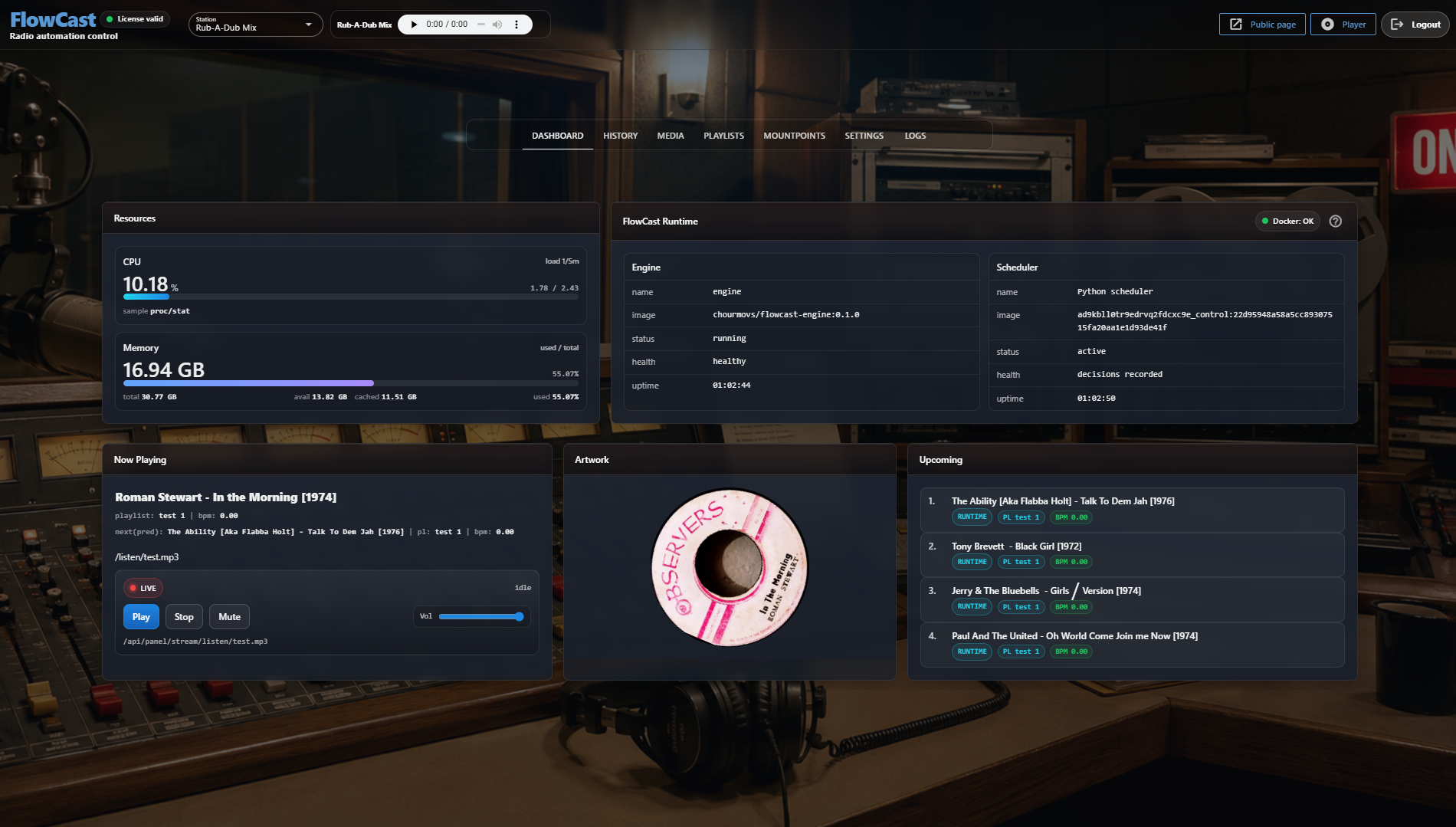
Runtime state, media, schedules and transition controls stay visible without introducing another playout scripting layer.
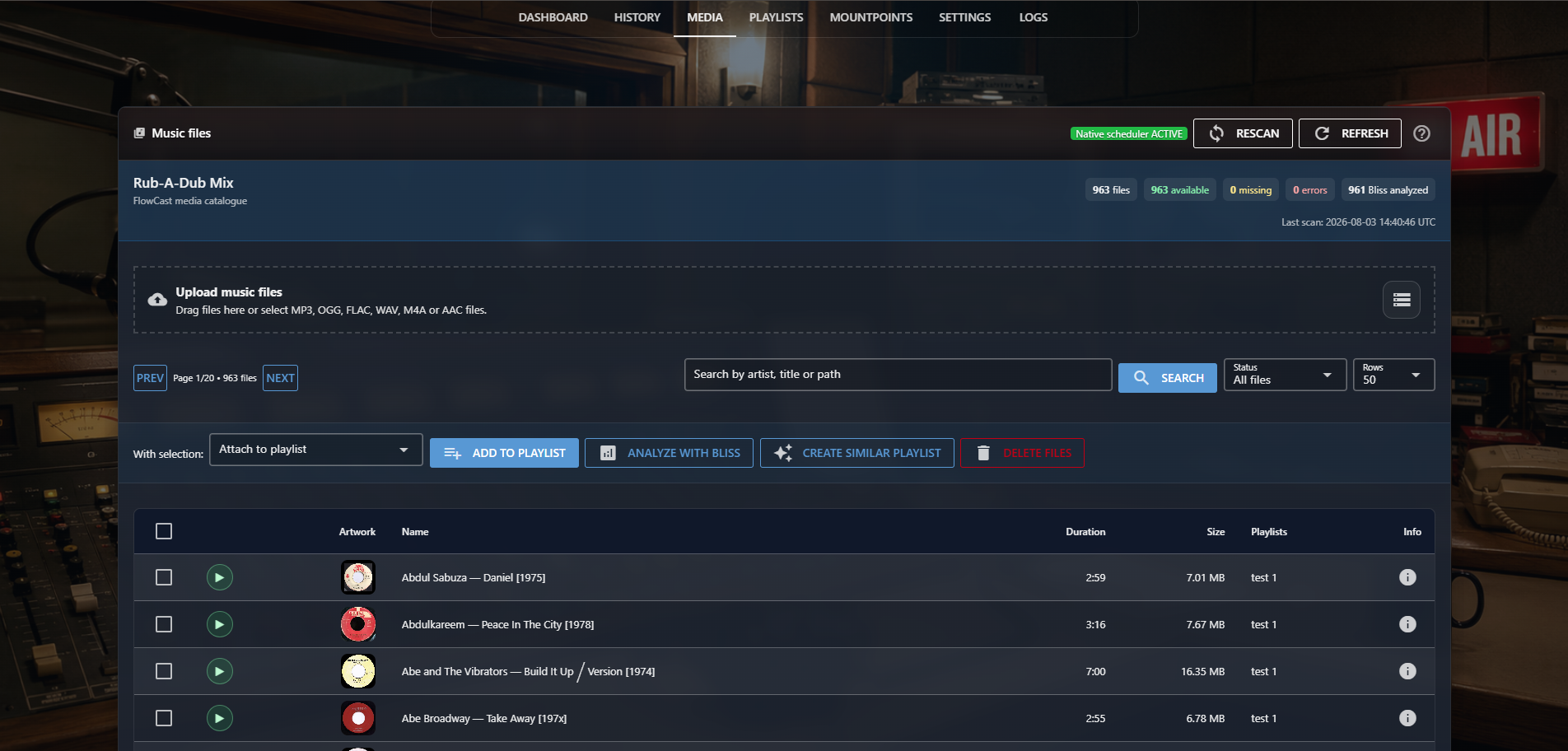
Audio analysis and BPM support scheduling. Bliss similarity is available as an optional Pro capability.
No generated Liquidsoap program. No additional playout scripting layer.
COMMUNITY + PRO
Broadcasting does not depend on a paid licence server or a configured Pro service.
Community continues broadcasting independently when Pro is not configured or unavailable.
CURRENT VALIDATED RELEASE · 0.1.0-rc.8
Install the current validated FlowCast Community release on Linux amd64 with Docker Compose.
curl -fsSL https://raw.githubusercontent.com/chourmovs/FlowCast-Community/v0.1.0-rc.8/install.sh | sudo bash -s -- --version 0.1.0-rc.8Docker Engine and Docker Compose v2 must already be installed.